See who’s on your network.
A speedy device finder for your local network. No ads. No data collected.
NetWho names every device on your Wi-Fi from what the device says about itself, and shows you how it knows.

Free for iPhone, iPad and Android.
On this network
17 devices
| IP address | Device | |
|---|---|---|
| 192.168.1.1 | Home Router | |
| Router · NETGEAR RAX50 · UPnP InternetGatewayDevice by NETGEAR | ||
| 192.168.1.52 | Living Room | |
| TV / streamer · Apple TV 4K (3rd gen) · Bonjour airplay model = AppleTV14,1 | ||
| 192.168.1.60 | Kitchen | |
| Speaker · HomePod mini · Bonjour airplay model = AudioAccessory5,1 | ||
| 192.168.1.71 | Office speaker | |
| Speaker · Google Nest Mini · Bonjour googlecast md = Google Nest Mini | ||
| 192.168.1.14 | diskstation | |
| NAS · Synology DS920+ · UPnP Basic by Synology | ||
| 192.168.1.8 | Brother HL-L2350DW | |
| MOVED · Printer · Brother HL-L2350DW series · advertises ipp over Bonjour · from .9 | ||
| 192.168.1.88 | kp115 | |
| NEW · Smart plug · TP-Link Kasa KP115 · its name "kp115.lan" | ||
| 192.168.1.77 | Stagebox-FOH | |
| Audio device · Dante · advertises netaudio-arc over Bonjour | ||
| 169.254.37.12 | PTZ-CAM-1 | |
| NO DHCP · Video device · NDI · advertises ndi over Bonjour; self-assigned address | ||
| 192.168.1.112 | alex-phone | |
| OFFLINE · Phone / tablet · iPhone / iPad · port 62078 open (iOS sync) · 2 h ago | ||
More than a ping.
Most network scanners just ping every address on your network and list the ones that answer. NetWho tells you more: it listens to what each device says about itself, and shows you what it is and how it knows.
NetWho asks over Bonjour (mDNS), UPnP, NetBIOS and TP-Link Kasa, checks open ports and web pages, and pings every address. Its rules for what a device is are those of lsnet, the open-source command-line scanner, and the apps are tested against lsnet’s own cases.
What NetWho hears
IP address
192.168.1.52Device
Living RoomType
TV / streamerWhat’s on my Wi-Fi?
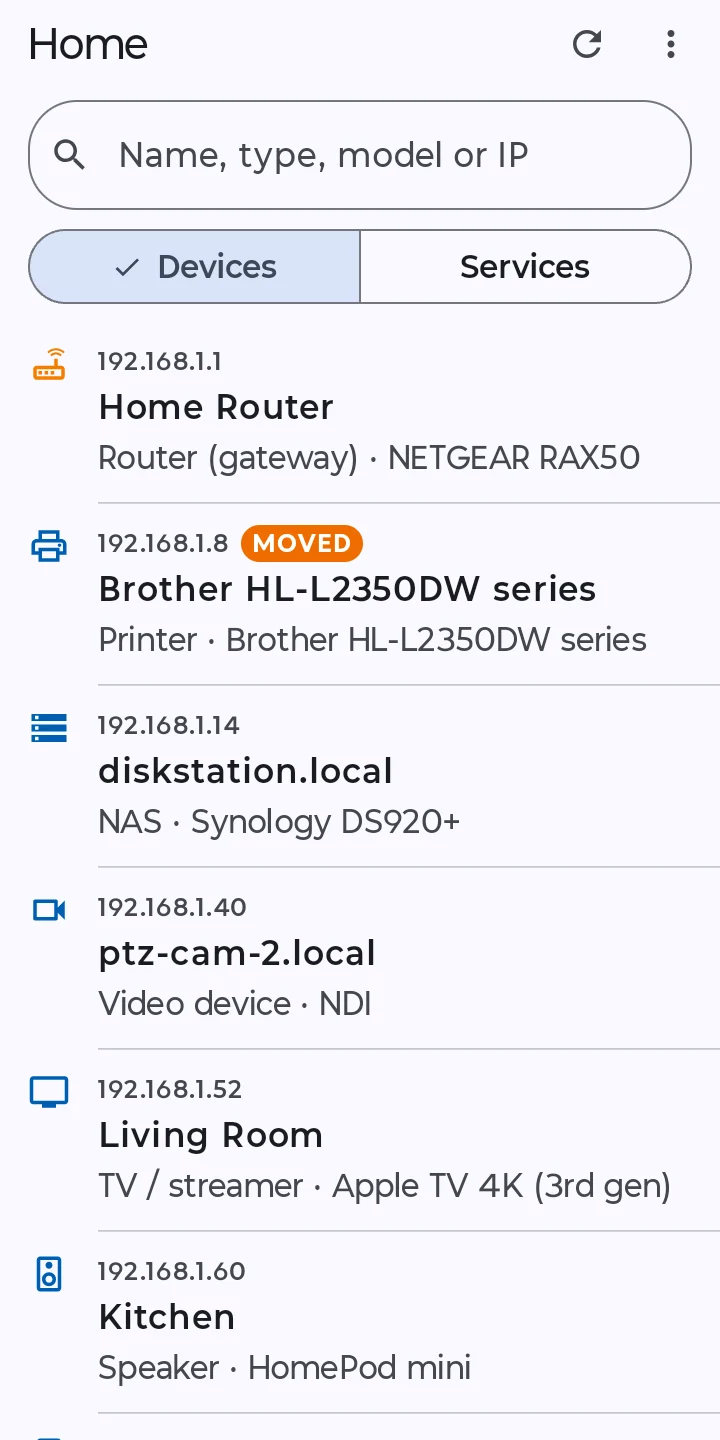
The TV, the speakers, the printer, the plug you forgot about: every device by name. NetWho remembers your network, so the next scan shows what’s new, what’s gone quiet and what moved. Name things yourself, set their type, add a note.
At home
| IP address | Device | |
|---|---|---|
| 192.168.1.52 | Living Room | |
| TV / streamer · Apple TV 4K (3rd gen) · Bonjour airplay model = AppleTV14,1 | ||
| 192.168.1.60 | Kitchen | |
| Speaker · HomePod mini · Bonjour airplay model = AudioAccessory5,1 | ||
| 192.168.1.88 | kp115 | |
| NEW · Smart plug · TP-Link Kasa KP115 · its name "kp115.lan" | ||
| 192.168.1.8 | Brother HL-L2350DW | |
| MOVED · Printer · Brother HL-L2350DW series · advertises ipp over Bonjour · from .9 | ||
| 192.168.1.112 | alex-phone | |
| OFFLINE · Phone / tablet · iPhone / iPad · port 62078 open (iOS sync) · 2 h ago | ||
Every service, one tap away.
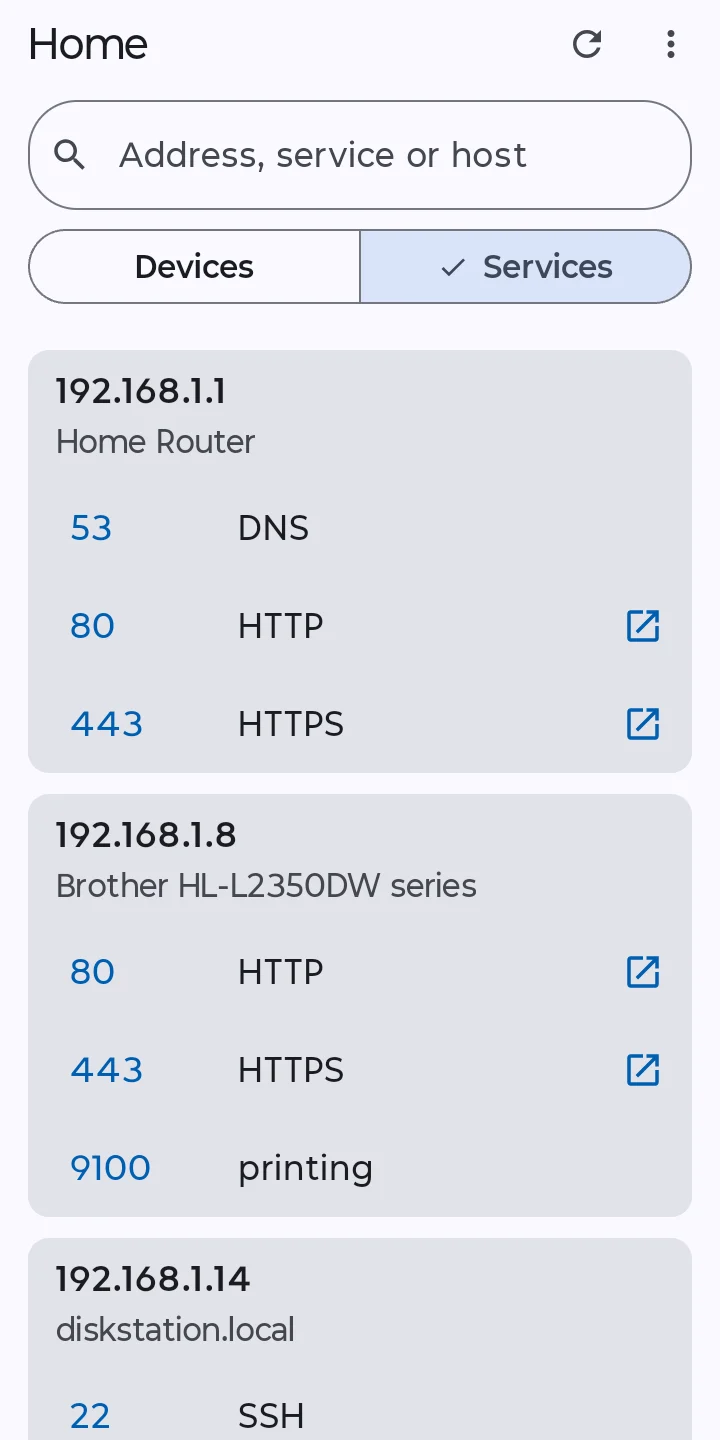
Services gathers every web page, file share and server on the network, device by device. Open a NAS and you land on its admin page (Synology DSM, UGREEN, QNAP), not a placeholder web server. Ping anything, or check it for common ports.
Services
| IP address | Device | |
|---|---|---|
| 192.168.1.14 | diskstation | |
| ADMIN PAGE · DSM 5001 · Synology DSM: Open goes straight to https://192.168.1.14:5001/ | ||
| 192.168.1.14 | diskstation | |
| OPEN · PLEX 32400 · Plex: opens its web app at /web | ||
| 192.168.1.150 | pihole | |
| OPEN · HTTP 80 · web page title "Pi-hole Admin Console" | ||
| 192.168.1.130 | raspberrypi | |
| OPEN · SSH 22 · raspberrypi.local: a Raspberry Pi, by its name | ||
| 192.168.1.130 | raspberrypi | |
| OPEN · MQTT 1883 · a message broker: something is running as a server | ||
See all the details.
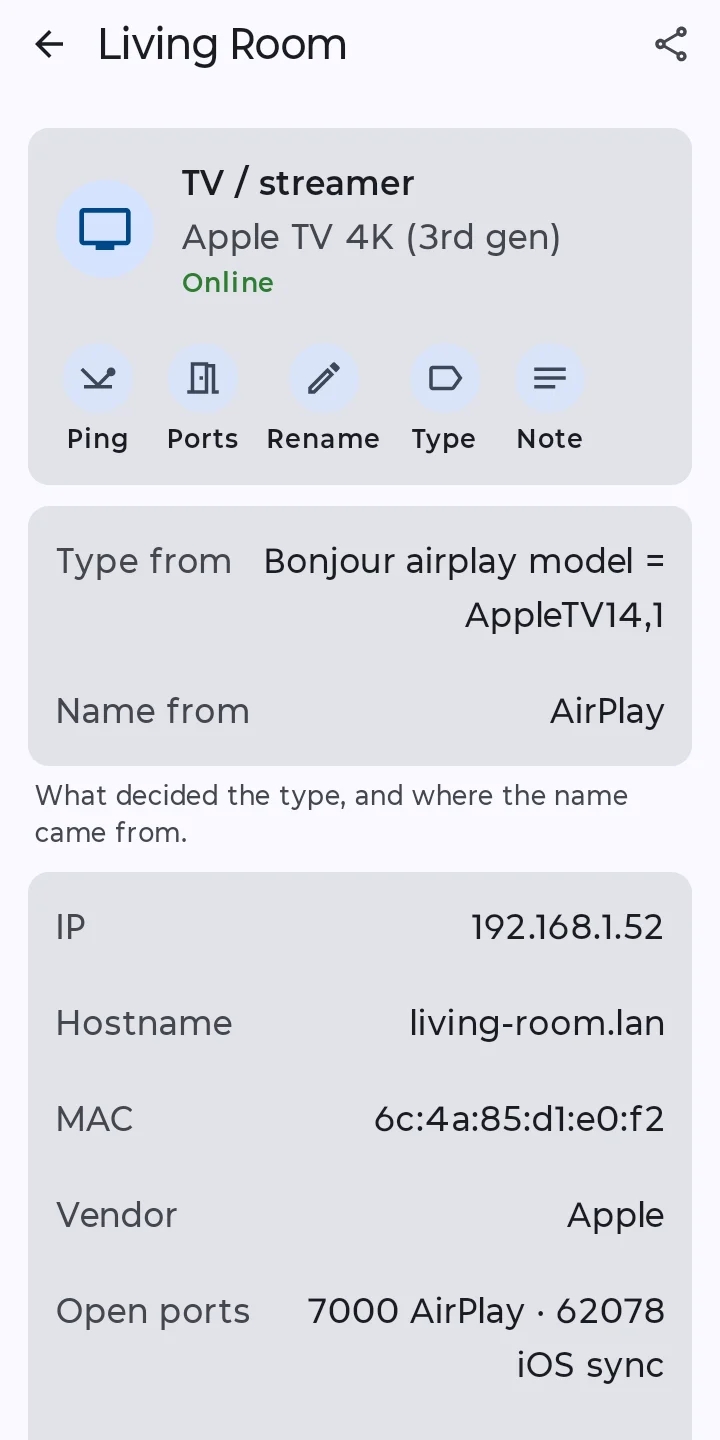
Tap a device to see everything NetWho heard: what decided its type and where its name came from, its address, MAC and open ports, and every Bonjour service it advertises, with the records that say what it is. An Apple TV alone advertises a dozen.
Copy any value with a tap, or share it all as text. Dante and NDI gear, devices that got no address from DHCP, devices that moved: it’s all there.
Living Room, TV / streamer, Apple TV 4K (3rd gen)
TV / streamer · Apple TV 4K (3rd gen) · Online
- Type from
- Bonjour airplay model = AppleTV14,1
- Name from
- AirPlay
What decided the type, and where the name came from.
- IP
- 192.168.1.52
- Hostname
- living-room
- MAC
- b2:71:3c:59:0e:44
- Vendor
- Unknown (private MAC)
- Open ports
- 53 DNS · 5000 · 7000 AirPlay · 62078 iOS sync
- First seen
- Oct 9, 2026, 8:33 PM
Bonjour (mDNS)
- Name
- living-room.local
airplay
Living Room
model = AppleTV14,1
matter
7F42A9C1D03E5B86-0000000000000002
raop
B2713C590E44@Living Room
am = AppleTV14,1
md = 0,1,2
vn = 65537
companion-link
Living Room
rpmd = AppleTV14,1
device-info
Living Room
model = J255AP
dnssd-server
Living Room
infra-analytics
Living Room
meshcop
Living Room
mn = BorderRouter
vn = Apple
nrd
3c1d8e52-7a40-4f9b-b6e1-0d92c5a7f318
sleep-proxy
70-35-60-63.1 Living Room
srpl-tls
Living Room
trel
9a4c2f6e1b7d3e08
The app
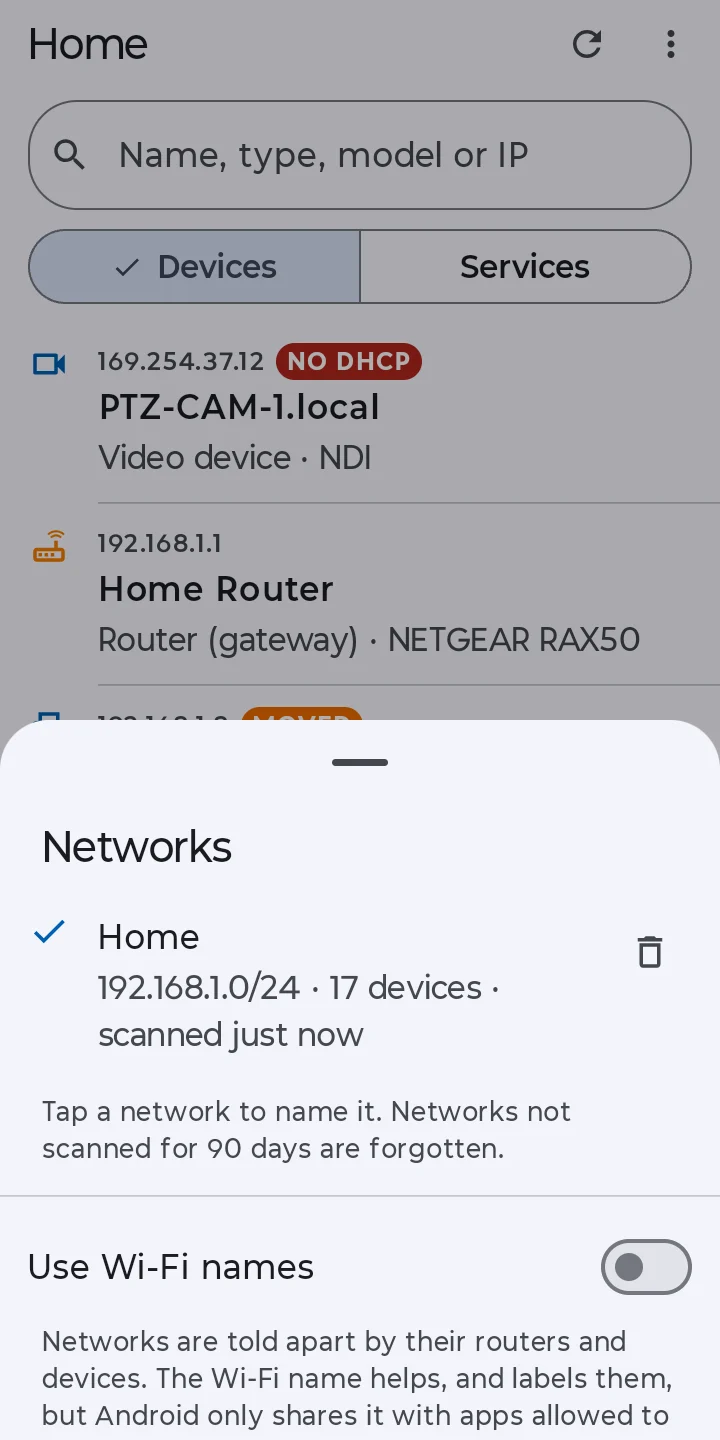
Devices, services, every detail and the networks it remembers. Shown on Android, on the same demo network.
No ads. No data collected.
NetWho talks only to your own network, never the internet. What it remembers about your devices stays on your phone until you delete it. None of your data leaves your device: no ads, no third-party analytics.
All your data stays yours
| Ads | None |
|---|---|
| Accounts | None |
| Analytics | None |
| Data collected | None |
Free for iPhone, iPad and Android.
iOS 17 or later · Android 13 or later